From Slackware to Debian: The Habit of Making Things Work
Window Maker, CrunchBang, three Apple computers, one stubborn workstation, and twenty-six years of doing things my own way.
When startx felt like a victory
My history with Linux goes back to around 2000, to a Pentium II running at 350 MHz with 128 MB of RAM. I had Slackware installed, Window Maker as my window manager, and a 3dfx Voodoo 5 5500 graphics card that the version of XFree86 I was using didn't properly support yet. To get a graphical desktop, I logged in at a console and typed startx. Nowadays that probably sounds quaint. Back then it was a small adventure, and it wasn't guaranteed to end with a desktop.
I remember reading my monitor's specifications to find the horizontal sync and vertical refresh ranges, then going back to the XFree86 configuration to try to get everything talking to everything else. There was no helpful dialog asking which resolution I preferred. I made changes, tried again, and learned from whatever happened next. When the screen finally switched modes and Window Maker appeared, it was bliss. I'd made the bloody thing work, and I understood a little more about the machine than I had the day before.
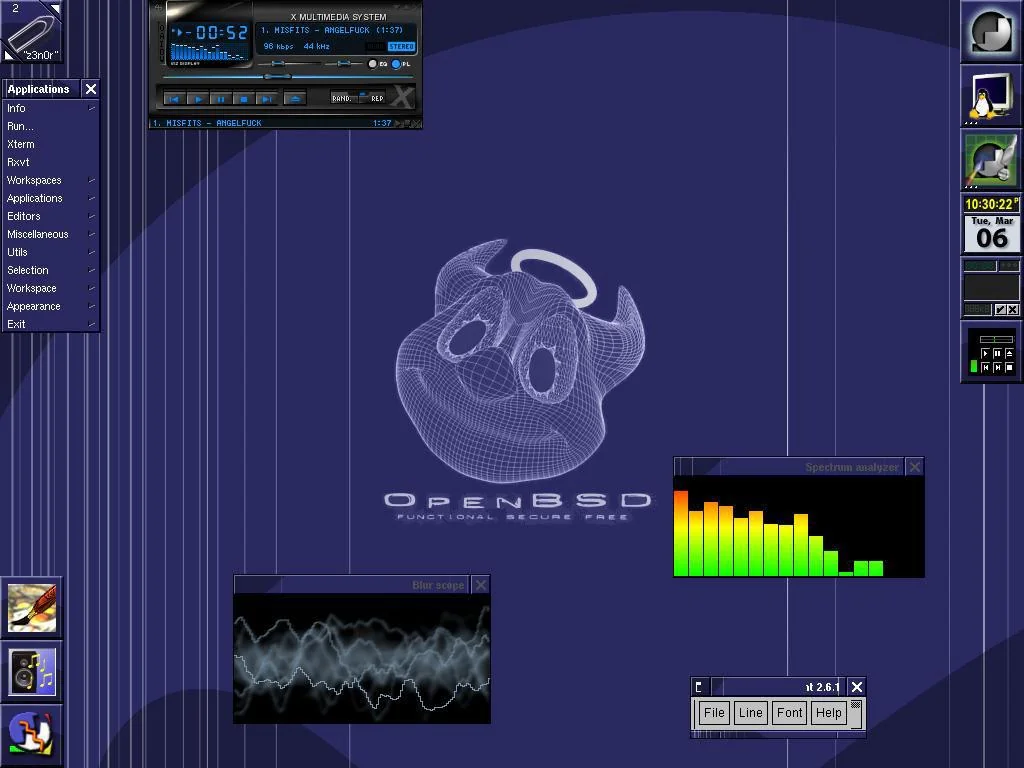
That screenshot is one of the few things I've recovered from the period. I might still have more buried somewhere in old directories, or perhaps on an archived copy of my first website. Its historical value isn't that it proves every detail of the hardware setup. It's that it shows the sort of environment I liked: a small window manager, a music player, some tools, and enough room to find out what made the system tick.
I call myself a hacker in the classical sense. Someone interested in understanding a machine and making it work in ways that aren't necessarily written on the box. This isn't about pretending every technical obstacle is some grand political struggle. Sometimes it's just a graphics card that won't cooperate. But the process of figuring out why it won't cooperate is often as enjoyable as whatever you intended to do with the computer in the first place.
A little website called Radcore
At the beginning of the 2000s I also had a website on Tripod, It mixed the things I was interested in: GNU/Linux, Window Maker, skateboarding, punk and hardcore. It had a Linux security section and, naturally, plenty of music links. Looking back, the combination isn't particularly surprising. The do-it-yourself attitude I liked in music was never very far from the curiosity that kept me digging into computers.
I reposted The Conscience of a Hacker, written by The Mentor in 1986. I wasn't its author; I was a young bloke sharing a text that spoke to me. My blood was boiling back then. The site was a place to put things I cared about rather than something designed around an audience, a platform or a business plan. Some of its pages are still indexed, although recovering the original screenshots is another matter. I'll keep digging.
That early web was untidy, sometimes infuriating, and full of people making things because they felt like it. It gave me a place to put my interests next to each other without anyone asking whether Linux and hardcore punk belonged in the same category. I still rather like that.
The Macs were for graphic design. The operating system was negotiable.
I came to Apple hardware through graphic design. I trained as a graphic designer, and in those years Macs were a staple of creative work. That's why I had them. It wasn't a pledge of allegiance to macOS or Apple's way of organising a computer. I appreciated the machines as tools for the work I did, but I was still the same person who'd spent hours making XFree86 cooperate on a Pentium II.
On my white 2006 iMac I ran CrunchBang Linux inside a virtual machine, fullscreen. I'd walk away from the desk and come back to an Openbox desktop, not the macOS interface underneath. The Mac was happily running its operating system and the virtual machine, while I was happily pretending I was already using Linux as my main desktop. An expensive solution to a very simple preference, perhaps, but it suited me.
CrunchBang, or #!, wasn't my first Linux distribution. Slackware had already introduced me to the rougher edges. CrunchBang did something different: it made the shell feel like an everyday part of using the computer, rather than something you visited only when an installation went wrong. Openbox, tint2, Conky, plain-text configuration files, small utilities, the whole thing was quick, nimble and wonderfully straightforward. It had an old-school approach without being stuck in the past.
Being a graphic designer doesn't mean I want a giant graphical interface between me and every setting. I like making a desktop look good, and I like working in graphical applications. I also like being able to open a terminal, read a man page and edit the configuration directly. CrunchBang showed me that these preferences could coexist. It wasn't a contest between the GUI and the shell; they were tools for different jobs, and I could arrange them the way I wanted.
The Apple machine I really tinkered with, though, was my 2007 MacBook Pro. Before removing macOS, I brought in the X11 libraries and GNU tools and was already running X applications on top of Apple's operating system. In other words, I was using the Mac as a Unix workstation with many of the tools I already knew, long before I decided to install Linux as its only operating system.
Then came the familiar complications of booting something different on Apple hardware: EFI, rEFIt, the bootloader, and bless. I remember discovering that last command and being genuinely irritated by the whole idea. I knew that bless was a utility for setting startup information, not a mystical permission slip for my hard drive. But the name, combined with the amount of work involved in booting my preferred OS, made me cringe. I'd bought the bloody computer. I wasn't asking it for absolution.
I understand Apple's approach. They design the hardware and software together, and they want to deliver a complete, controlled product. There are people who value exactly that, and fair enough. It's simply not my cup of tea. I enjoy making things, changing things, breaking them occasionally and finding out how to put them back together. I don't want the manufacturer's preferred arrangement to be the end of the discussion about what a machine can do.
Around that time there were only a few of us on Debian forums hacking away at getting Linux running properly on iMacs, comparing notes and posting what worked. Debian developers read those conversations, and the compatibility story improved over time. I'm not claiming a particular upstream fix came from any one of our posts. What stayed with me was that users experimenting with real hardware could help each other and help developers understand the problems, simply by documenting the details.
Eventually macOS disappeared from the MacBook Pro entirely. It booted Linux and nothing else. It still does today. A 2007 laptop that continues to boot the operating system I chose is a far better argument for keeping control of your hardware than any slogan I could write.
Debian on the iMacs, in several different outfits
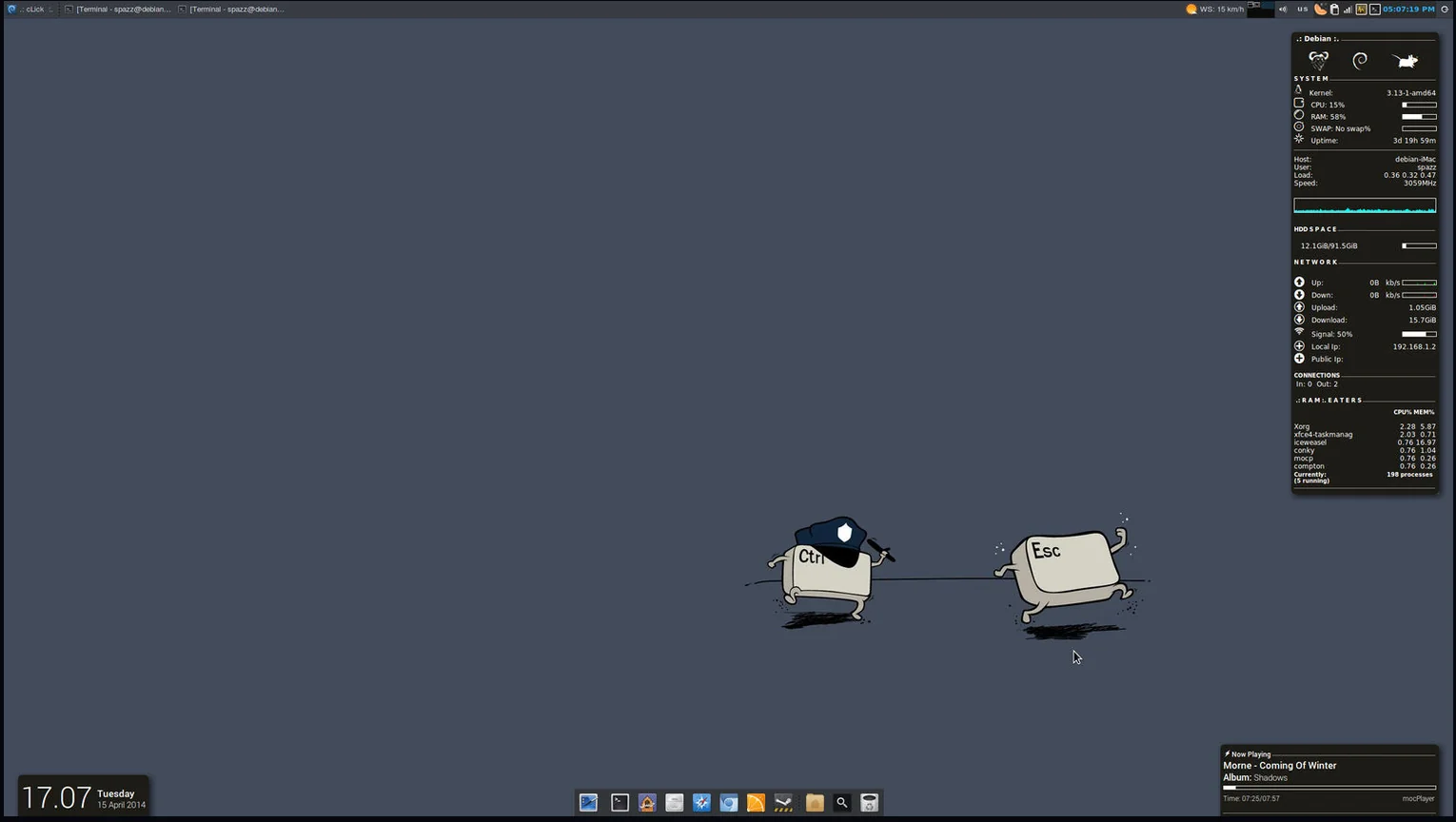
After the white iMac I also had a silver 27-inch iMac, and I spent plenty of time experimenting with Debian desktops on Apple hardware. Some of the screenshots I've recovered share the hostname debian-iMac, so I don't want to assign every image to the white or silver machine without checking the hardware clues. The screenshots do give a pretty good view of what I was doing between 2014 and 2016: changing desktop environments, playing with layouts, listening to music and generally making the computer look and behave the way I wanted.
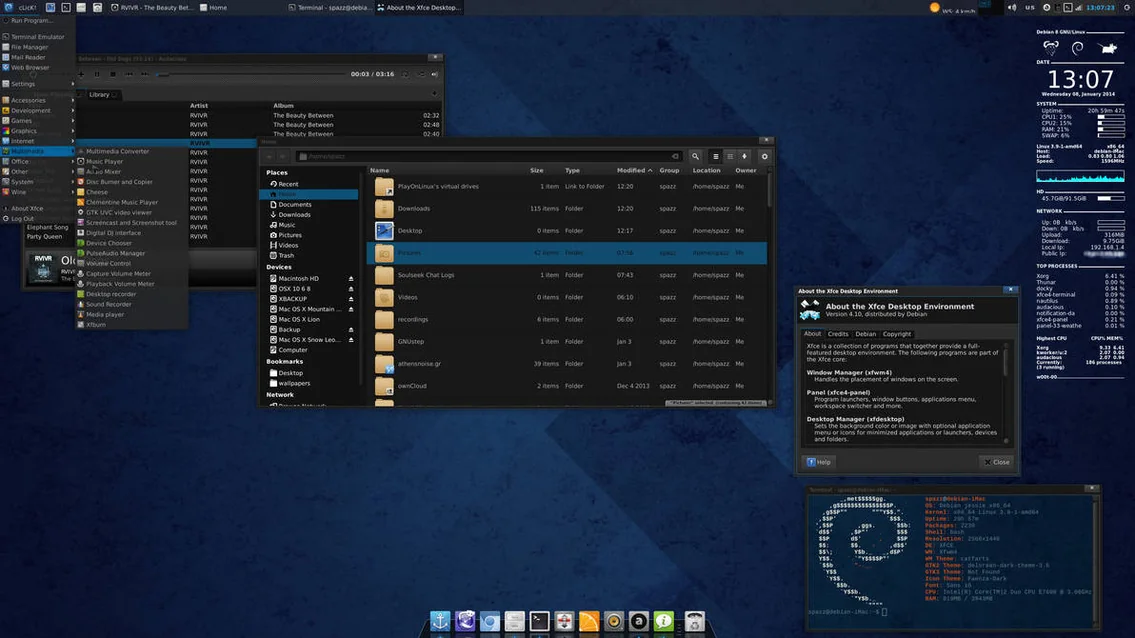
At various points I used Xfce and GNOME Shell, with different docks, panels, themes and extensions. I was never interested in pledging loyalty to a desktop environment. If something looked useful or interesting, I'd try it. I care about design, so of course I cared about the appearance, but I also wanted to know what the pieces were doing beneath the wallpaper.
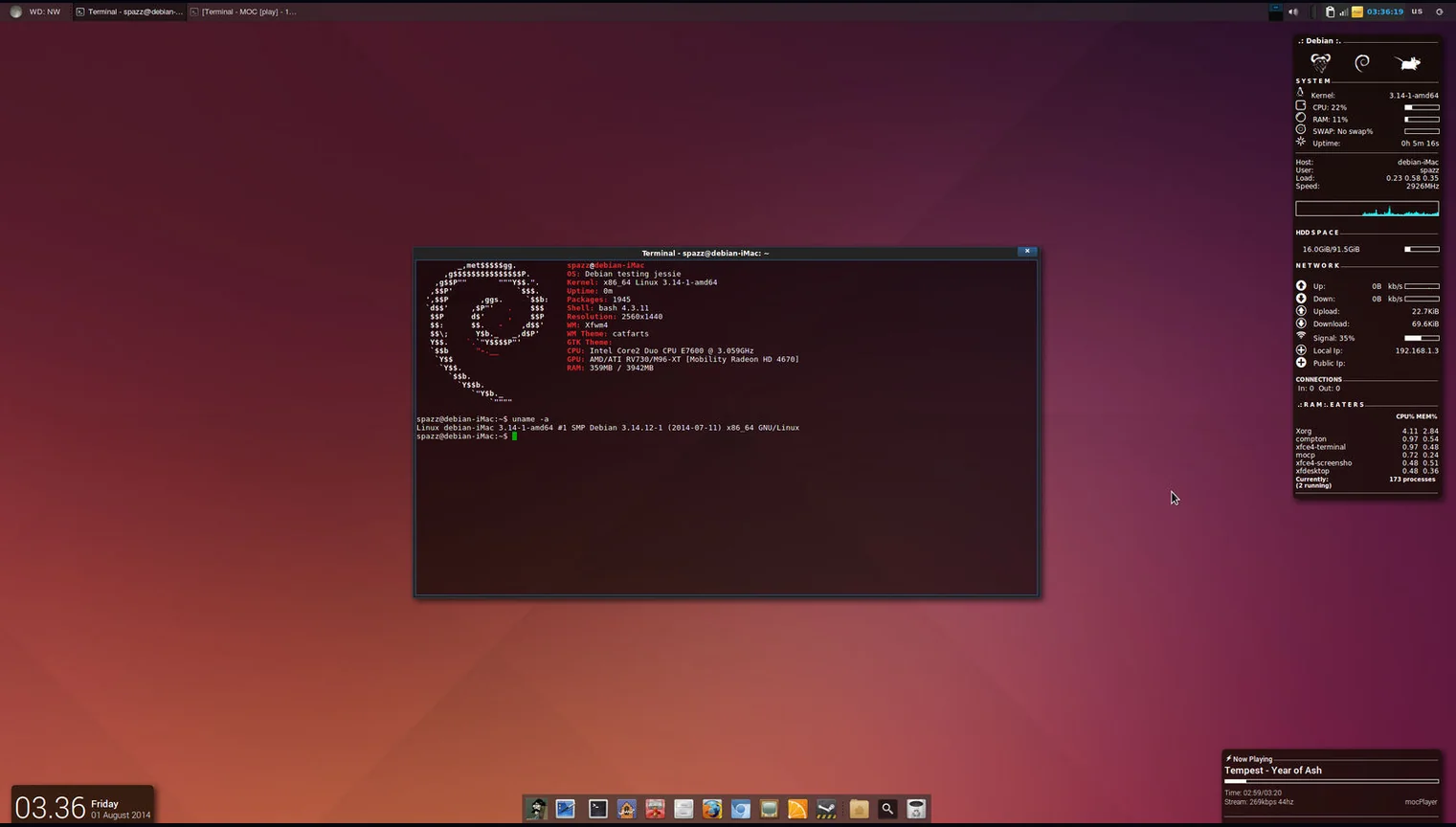
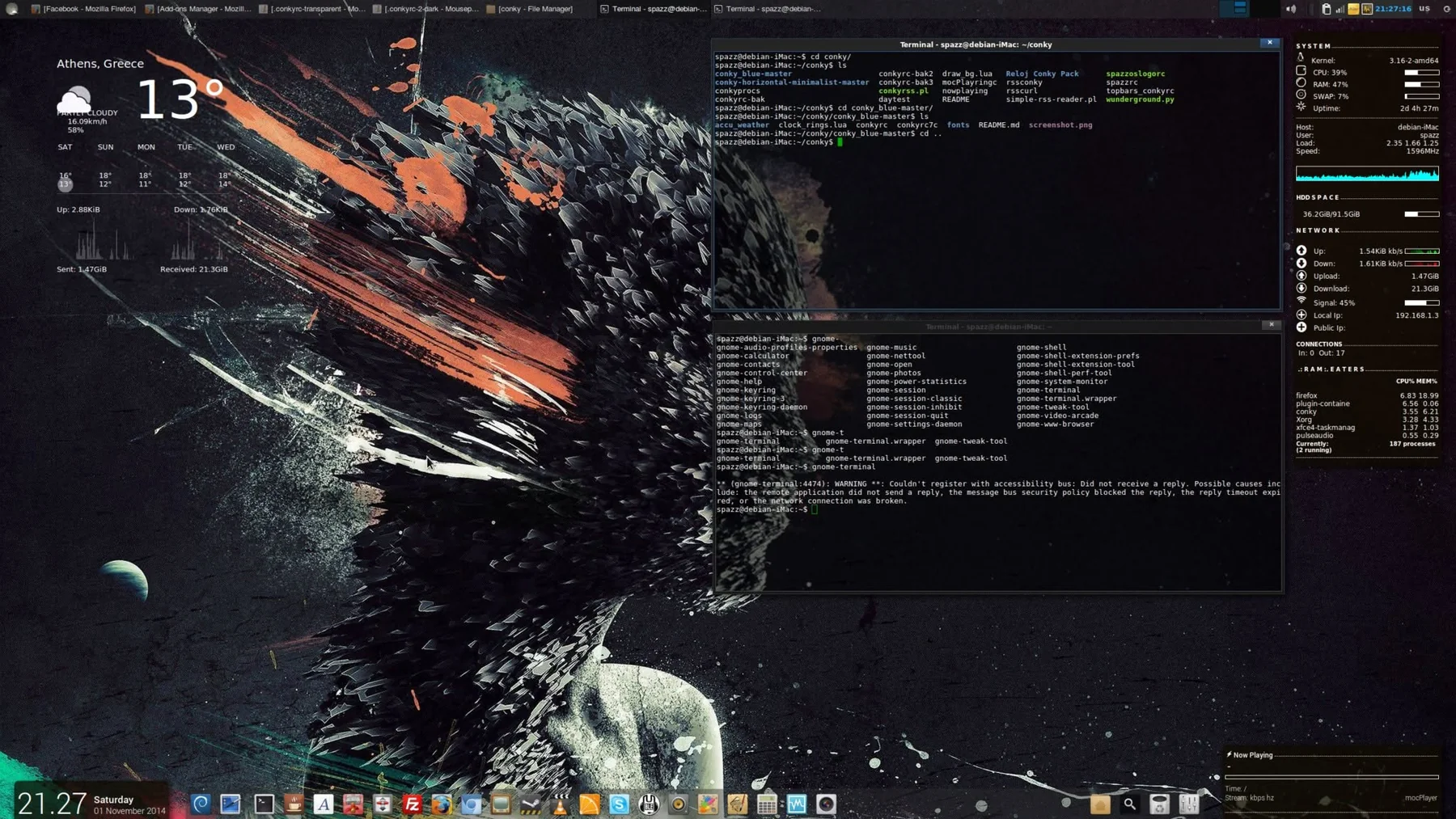
One thing the screenshots show particularly well is continuity. Conky is there again and again, along with terminals and MOC, the console music player. What makes this particularly interesting is that the Conky configurations still running on node804 in 2026 are the same ones I created back in 2012–2014. I never had to rebuild them every time I changed desktop environments or moved to another machine. I simply carried the configuration files along, and they generally just worked. Different hardware, different Debian releases, different kernels and desktop environments, yet those little text files have survived for well over a decade. That's one of the things I've always appreciated about Unix-like systems: you can configure something the way you want it, keep the files, and take them with you. No need to start from scratch every time you change computers.
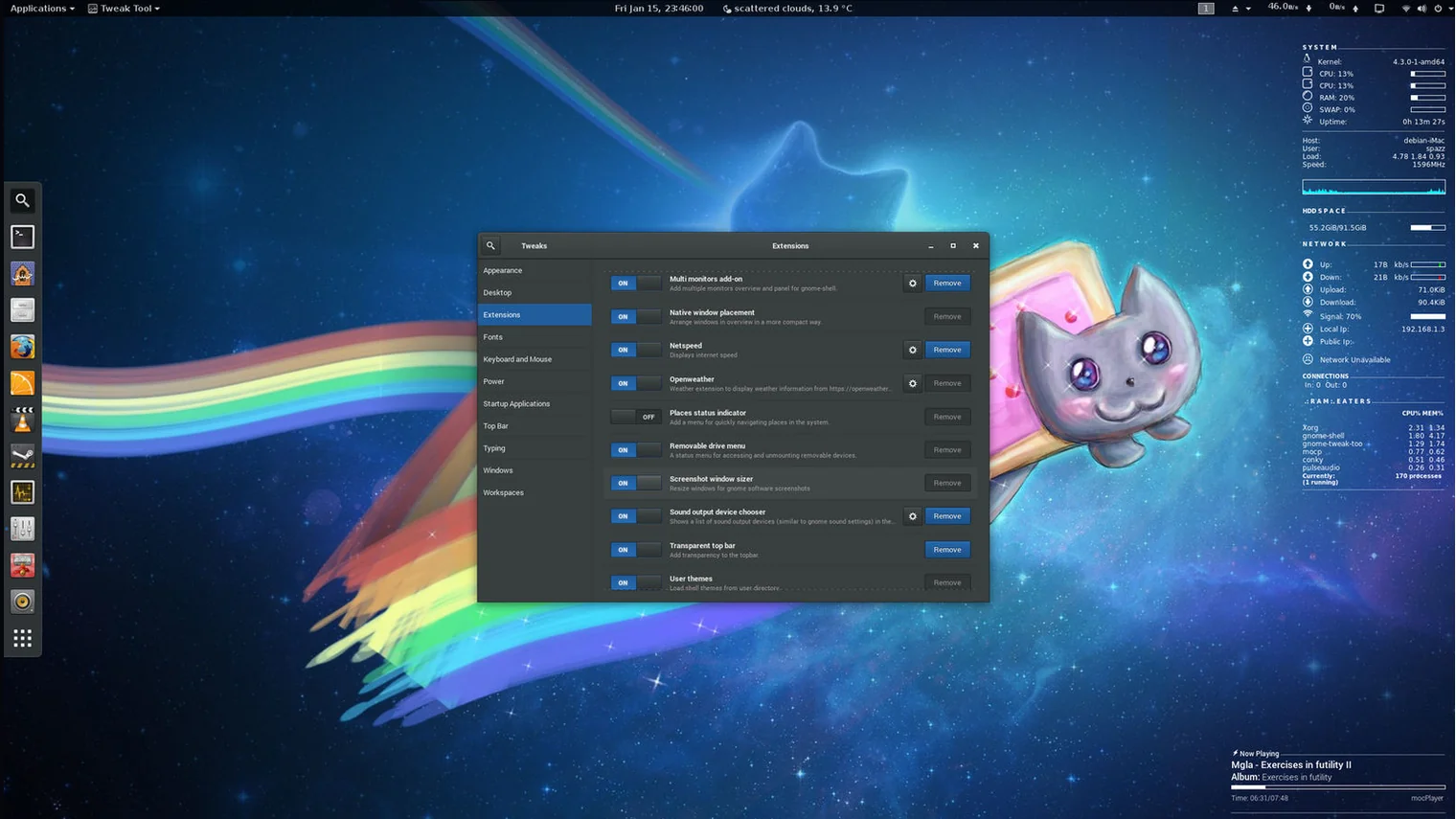
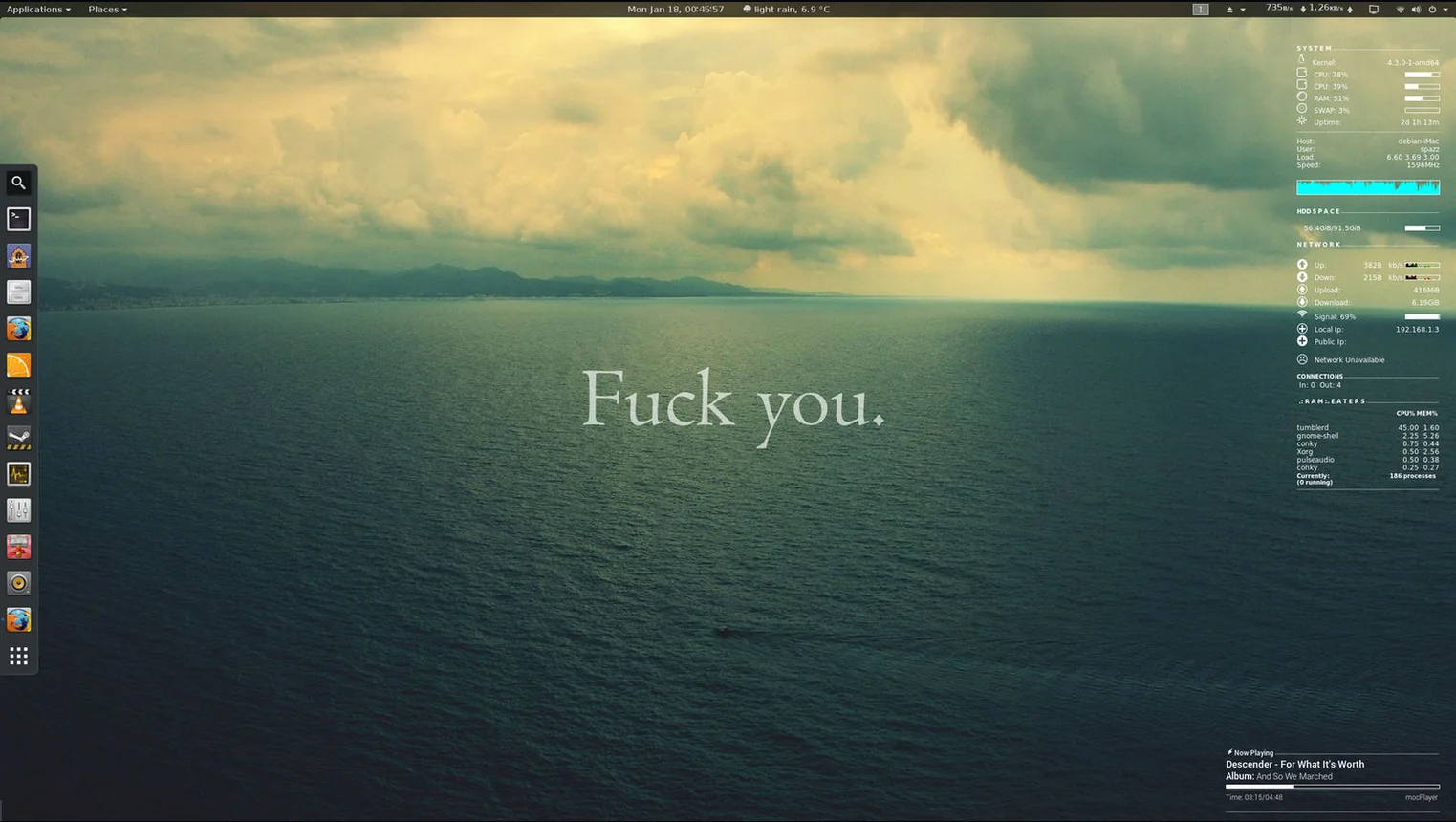
I've kept those files and habits through years of machines and Debian releases. The desktop arrangements changed, but I wasn't throwing away everything I knew every time I installed something new. A portable configuration and a familiar set of tools can outlive several generations of hardware. That's a rather lovely property for software to have.
node804 and the installation that stayed
In 2015 I started using the workstation I still have today, in a Fractal Design Node 804 case. It began life dual-booting Windows and Linux. I did a lot of gaming, and keeping Windows around was a practical decision at the time. On 7 November 2017, I switched the machine completely to Debian. That date matters because the Debian installation I started then is still running as I write this in 2026. It doesn't mark the beginning of my Linux journey; by then I'd already been at this for roughly seventeen years.
I've kept that installation on Debian Testing through successive releases. It's been my gaming machine, development workstation and general-purpose computer, with a long list of software, tweaks, games, configurations and mistakes accumulated along the way. There have been package transitions that required patience and occasions when Timeshift saved me from an unpleasant afternoon. But considering the years of use, Debian has been extraordinarily dependable. Much of the credit belongs to the people building and maintaining the distribution. Their careful work is what makes a long-running system like this possible.
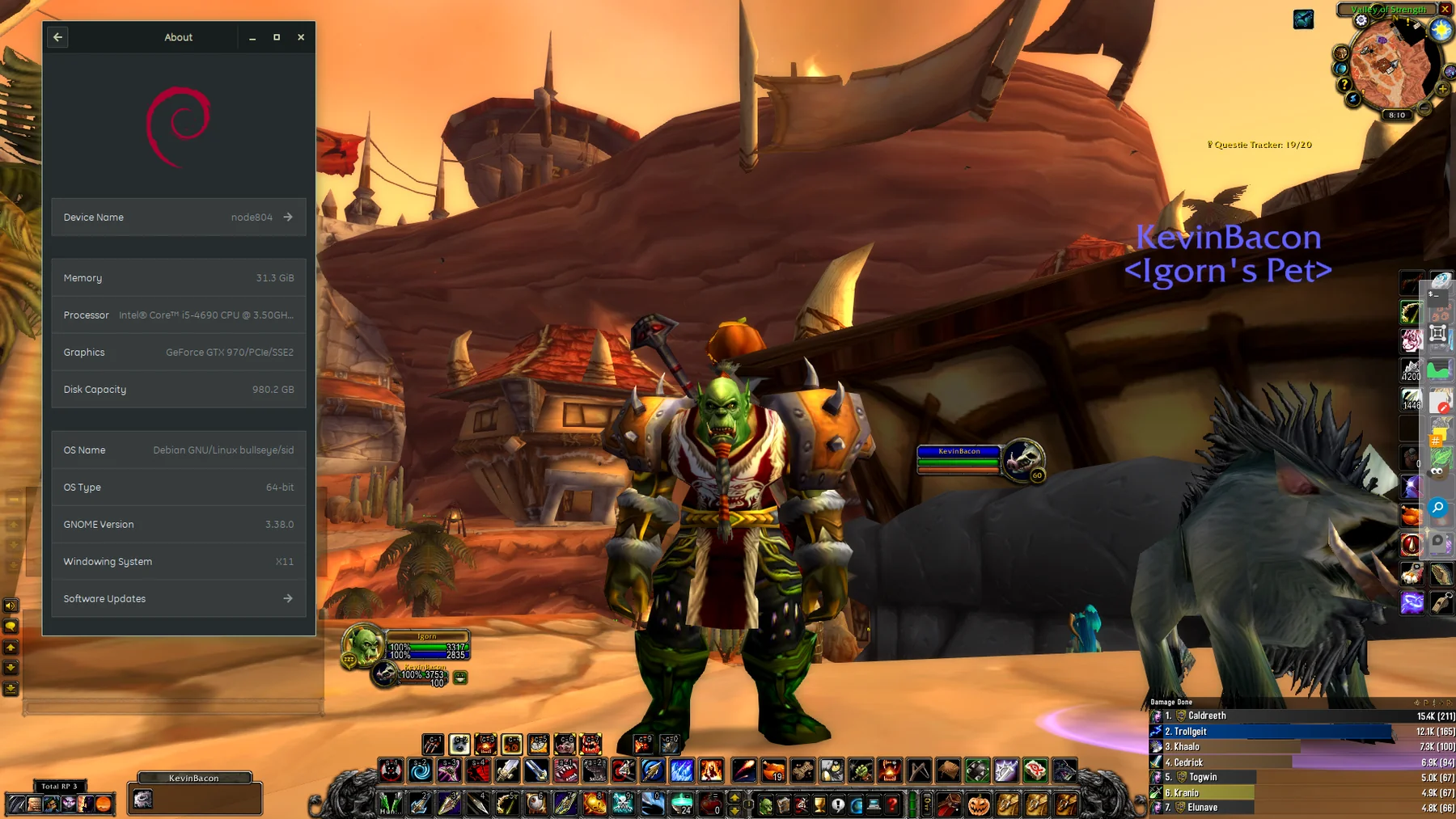
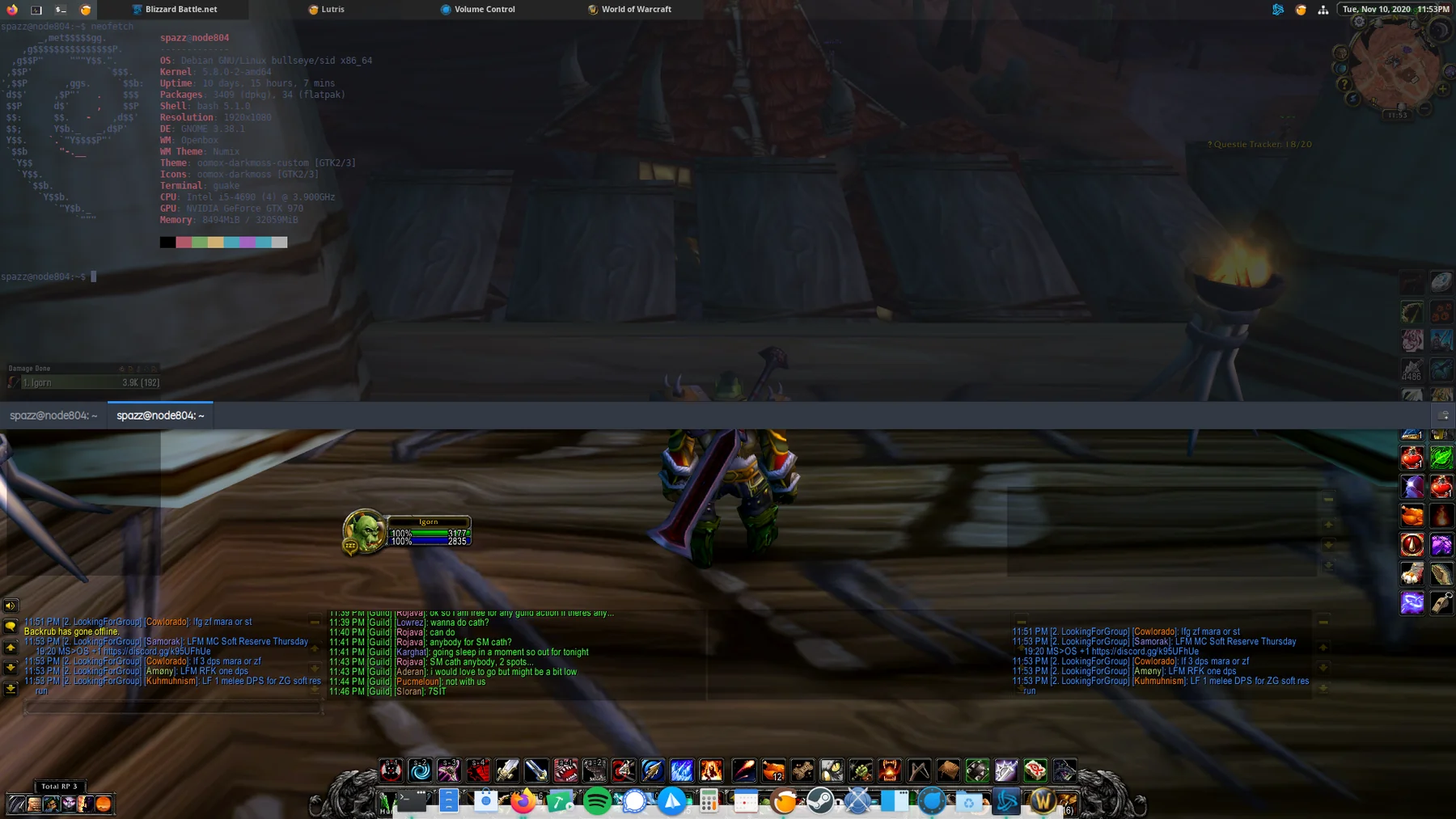
The two World of Warcraft screenshots make me smile. There has always been a tendency to talk about gaming on Linux as either completely impossible or some promised future that arrives with the next big announcement. My experience was more practical: find the tools, get the game running, work through the rough edges and play. The machine had to serve the things I wanted to do, not the other way around. It was never just a box for writing code or administering servers.
The GTX 970 in those screenshots eventually failed and I replaced it with a GTX 1050 Ti. The i5-4690 is still there. Recently I considered upgrading the graphics card again and found a GTX 1660 SUPER listed for €256. At that point I started wondering whether the better investment would eventually be a separate all-AMD build, rather than pouring money into aging parts. I haven't decided. node804 still does the work I ask of it, and I don't feel any urgent need to dismantle it.
I get emotionally attached to my computers. There, I've said it. I've spent years getting to know them, modifying them, playing games on them, repairing what breaks and learning an enormous amount in the process. The 2007 MacBook Pro still boots Linux, and node804 still runs the Debian installation I put there in 2017. That doesn't make the hardware immortal, but it does mean I don't measure a computer's worth entirely by its resale price or benchmark numbers.
The same habits, different scale
These days much of my work goes into ATHENSNOISE.ROCKS, an independent music website and online radio station. The publishing side uses Hugo, Apache and rsync. The radio runs on Debian, with AzuraCast, Icecast and Liquidsoap doing the streaming work. There are containers, backups, logs, firewall rules and all the unglamorous bits involved in keeping a real service available. It's more complicated than an Openbox desktop, obviously, but I still want to understand what each part does and what will happen if it fails.
My preference for straightforward software hasn't prevented me from using complicated tools when the job calls for them. It just means I don't see complexity as a virtue by itself. I'd rather have a system I can read, repair, back up and move than something that only works while nobody asks questions. That's a lesson I learned a long time before ATHENSNOISE existed, and one that's proved useful whenever a server needs maintenance or a deployment needs fixing.
The music connection has been there all along as well. There was XMMS and the Misfits on the old Window Maker desktop, MOC in the Debian iMac screenshots, World of Warcraft with music and terminal windows on node804, and now a radio station dedicated to independent music. Radcore was my own messy early web corner; ATHENSNOISE is a more deliberate project with responsibilities attached. I wouldn't pretend one automatically led to the other, but the same interests have travelled with me.
Before Linux. After Linux.
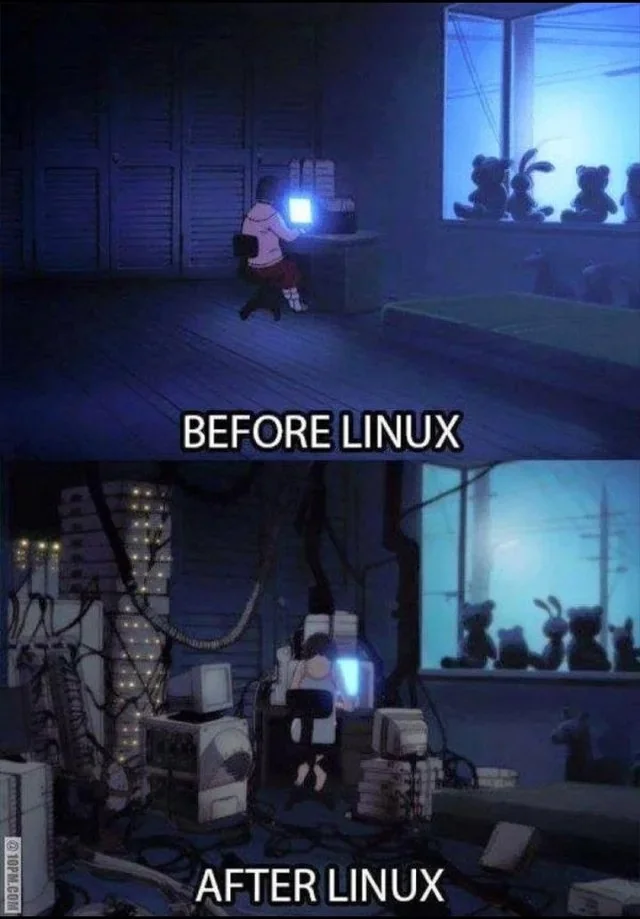
I know that to somebody who just wants to open an application and get on with the day, a story about XFree86 monitor timings and Apple's EFI boot process might sound like an excellent argument for buying an appliance instead. That's fair enough. I don't think everyone needs to run Slackware, build a desktop from small pieces or spend a weekend convincing a laptop to boot another operating system. What matters to me is having the freedom to try and to understand enough of the machine to recover when the experiment goes wrong.
I still learn something new about Linux whenever curiosity and life allow it. Sometimes that's every day, sometimes months go by without much experimentation. And that's one of the reasons I've stayed with Debian: when I feel like hacking, it's all there for me to explore. When I don't, I can simply use my computer and trust it to get on with the job.
#!